
Most Indian business websites either have no structured data at all, or have three conflicting sets of it fighting each other. Both are problems, and the second is worse. Getting LocalBusiness schema right is one of the few technical jobs a small business can finish in an afternoon and then benefit from for years.
This guide covers which fields of LocalBusiness schema are worth the effort, the order to implement them, the mistakes that cause warnings in Search Console, and how to verify it actually works. Our broader schema markup guide covers the other types a business site needs.
What LocalBusiness schema actually does
It does not improve your rankings directly. Anyone selling LocalBusiness schema as a ranking tactic is overselling it. What LocalBusiness schema does is remove ambiguity — it states in machine-readable form who you are, where you are, when you are open and what you do.
That matters more in 2026 than it did five years ago, because the consumers of your markup have multiplied. Google’s crawler reads it, but so do AI assistants summarising local options, voice search, and the systems building knowledge panels. Structured data is increasingly how machines decide whether to mention you at all. It also feeds the zero-click results that now dominate local queries.
For local businesses specifically, LocalBusiness schema reinforces the same signals your Google Business Profile carries. When the two agree precisely, Google’s confidence rises. When they contradict each other — a different phone number, an abbreviated street — that confidence drops, and confidence is what local rankings are built on.
The fields worth including
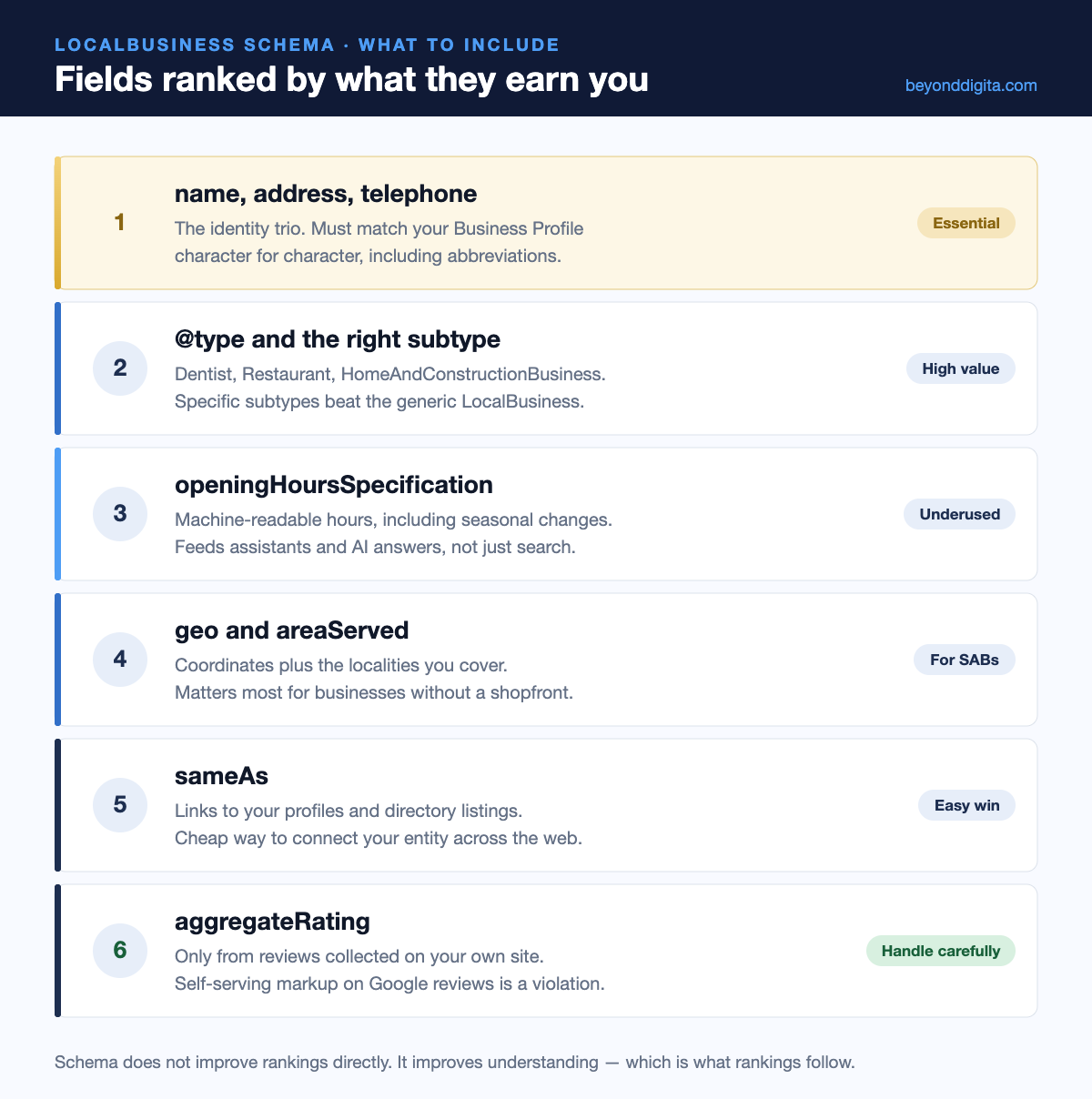
| Field | Why it matters | Priority |
|---|---|---|
@type | Use the most specific subtype available | Critical |
name | Exactly as on your Business Profile | Critical |
address | Full PostalAddress object, not a string | Critical |
telephone | With country code, matching everywhere | Critical |
openingHoursSpecification | Machine-readable hours for assistants | High |
geo | Latitude and longitude of the premises | High |
areaServed | Localities covered, vital without a shopfront | High for SABs |
sameAs | Links to profiles and directory listings | Medium |
priceRange | Simple indicator, often shown | Medium |
aggregateRating | Only for reviews on your own site | Conditional |
The subtype choice is the most commonly wasted opportunity in LocalBusiness schema. Schema.org offers hundreds of specific types — Dentist, Restaurant, HomeAndConstructionBusiness, AutoRepair. Using the generic LocalBusiness type when a precise one exists throws away the main advantage of the markup, so check the full subtype list before you write anything.
A working example
Here is a realistic block for a Delhi clinic. Place it in the page head or body as a application/ld+json script.
{
  "@context": "https://schema.org",
  "@type": "Dentist",
  "name": "Example Dental Care",
  "image": "https://example.com/clinic.jpg",
  "url": "https://example.com/",
  "telephone": "+911141234567",
  "priceRange": "₹₹",
  "address": {
    "@type": "PostalAddress",
    "streetAddress": "12 Main Market, Greater Kailash I",
    "addressLocality": "New Delhi",
    "addressRegion": "DL",
    "postalCode": "110048",
    "addressCountry": "IN"
  },
  "geo": {
    "@type": "GeoCoordinates",
    "latitude": 28.5494,
    "longitude": 77.2425
  },
  "openingHoursSpecification": [{
    "@type": "OpeningHoursSpecification",
    "dayOfWeek": ["Monday","Tuesday","Wednesday","Thursday","Friday","Saturday"],
    "opens": "10:00",
    "closes": "20:00"
  }],
  "sameAs": [
    "https://www.facebook.com/example",
    "https://www.instagram.com/example"
  ]
}
Two details are easy to miss. The address must be a nested PostalAddress object rather than a single text string, and the phone number should carry the country code. Both are common reasons LocalBusiness schema validates but does nothing useful.
Audit before you add anything
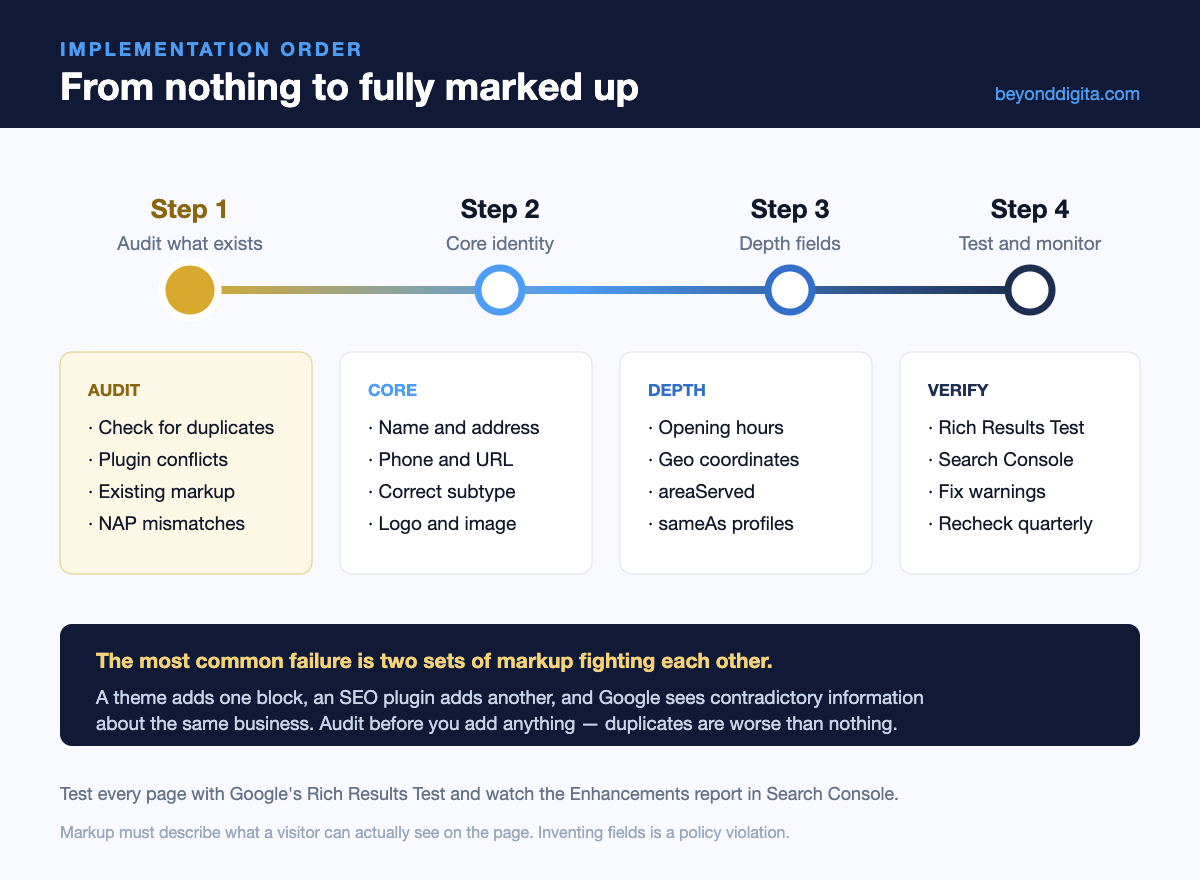
Auditing existing LocalBusiness schema is the step almost everyone skips, and skipping it causes the single most common failure we find on Indian business sites: two or three competing blocks of LocalBusiness schema on the same page.
It happens easily. The theme injects a block. An SEO plugin adds another. Someone pastes a third into the header. Each may be individually valid while collectively telling Google three different stories about one business — and contradictory markup is worse than no markup, because it actively reduces confidence.
Check by viewing the page source and searching for ld+json, or by running the page through Google’s Rich Results Test and the Schema.org validator. If more than one business block appears, remove all but one before adding anything new.
Mistakes that cause warnings or penalties
- Marking up information not visible on the page. Structured data must describe what a visitor can see. Inventing it breaches Google’s policies.
- Self-serving aggregateRating. Marking up your Google reviews as if they were site reviews is a violation. Only genuine on-site reviews qualify.
- NAP that does not match the Business Profile. “Rd” versus “Road” is enough to weaken the signal.
- Repeating identical markup on every page. One canonical block on the homepage or contact page, not fifty copies.
- Markup on an address you hide. A service area business should not publish a street address it conceals on Google.
- Leaving stale hours. Festive hours change. Outdated LocalBusiness schema sends customers to a closed shop.
The fifth point catches a lot of trades businesses. If you hide your address because customers never visit — the correct setup covered in our service area business guide — then your markup should use areaServed rather than publishing the street address anyway.
Where to spend limited development time
If a developer has a few hours and no more, this is the honest order of return.
| Task | Effort | Return |
|---|---|---|
| Remove duplicate markup | 30 minutes | High — stops active harm |
| Match NAP to Business Profile | 20 minutes | High |
| Pick a specific subtype | 10 minutes | High |
| Add opening hours | 30 minutes | Medium to high |
| Add geo and areaServed | 30 minutes | Medium |
| Add sameAs links | 15 minutes | Low to medium |
| Per-location markup | Hours | High if multi-branch |
The top row is the one to act on first. Removing conflicting LocalBusiness schema costs half an hour and stops an existing problem, whereas adding fields to a page that already contradicts itself simply adds another voice to the argument.
Multi-location and service area variations
A single-branch business needs one block and nothing more. Two situations complicate that, and both are common in Delhi NCR.
For multiple branches, each location page carries its own LocalBusiness schema with that branch’s address, phone and hours. Do not place every branch on one page and do not reuse the head office number across all of them — a shared phone number is one of the fastest ways to merge two listings in Google’s understanding.
For a business that travels to customers, the shape changes. Keep the identity fields, drop or restrict the visible street address, and lean on areaServed to list the localities you cover. The markup should describe the same reality your Business Profile does, since contradicting it defeats the purpose of having LocalBusiness schema at all.
One useful addition for both cases is hasOfferCatalog, listing your services in a structured form. It is optional, rarely implemented, and gives Google a cleaner view of what you sell than a paragraph of prose on a services page.
Why this matters more for AI answers
The practical argument for LocalBusiness schema has shifted. Rich results were always the selling point, but the bigger return now is being legible to systems that summarise rather than list.
When an assistant answers “is there a dentist open near Greater Kailash right now”, it needs a machine-readable answer about category, location and hours. A business with clean LocalBusiness schema can be included in that answer. One without it depends entirely on whatever the model can infer from unstructured text, which is less reliable and easier to get wrong.
This is cheap insurance rather than a guaranteed win — nobody outside Google and OpenAI knows exactly how heavily these systems weight structured data. But the markup costs an afternoon, and the alternative is hoping to be inferred correctly. We cover the wider implications in our guide to answer engine optimisation.
How to verify it is working
Validation and effectiveness are different things, and most LocalBusiness schema work stops at the first.
Run the page through the Rich Results Test to confirm the syntax parses. Then open Search Console and watch the Enhancements section over the following weeks — that is where Google reports what it has actually indexed, which is the only confirmation that matters. Google’s local business documentation lists the required and recommended properties in full.
Then recheck quarterly. Plugin updates, theme changes and site migrations routinely break or duplicate LocalBusiness schema without anyone noticing, which is why it appears on our site migration checklist.
Frequently asked questions
Does LocalBusiness schema improve rankings?
Not directly. It improves how accurately Google understands your business, which supports the relevance signals that local rankings depend on. Treat it as foundation, not as a tactic.
Which pages should carry it?
One canonical block, usually on the homepage or contact page. Multi-location businesses need one LocalBusiness schema block per location page, each with that branch’s own details.
Can a plugin handle this?
Yes, and for most businesses a plugin is the sensible way to output LocalBusiness schema. Just confirm it is not duplicating LocalBusiness schema your theme already outputs — check the source afterwards rather than assuming.
Should I mark up my Google reviews?
No. Reviews collected on third-party platforms cannot be marked up in your own LocalBusiness schema. Only reviews genuinely submitted and displayed on your site qualify for aggregateRating.
Get it right once, then check it twice a year
Correct LocalBusiness schema is a one-afternoon job with a long tail of benefit, and it supports your local visibility for years. The work is not difficult; the discipline is in auditing first, matching your Business Profile exactly, and rechecking after every site change.
If you want us to check what your site currently outputs, send us the URL. We will tell you whether it is valid, whether it is duplicated, and whether it matches your listing — the same audit we run at the start of every local SEO and technical SEO engagement.